Running a successful medical practice involves much more than providing excellent healthcare. Behind every patient appointment, enquiry and follow-up is a series of administrative tasks that help the clinic operate efficiently.
From managing appointment requests and responding to enquiries to updating records and coordinating communication, healthcare administration can become increasingly demanding as a practice grows.
For Australian medical clinics, repetitive administrative processes can consume valuable staff time, create communication delays and make everyday operations more complicated than necessary.
This is where medical practice automation workflows can make a meaningful difference.
By connecting suitable digital systems and automating repetitive administrative activities, healthcare practices can reduce manual work, improve communication and create more organised processes.
However, automation is not about replacing reception staff or healthcare professionals. It is about supporting their work with reliable systems that allow them to focus on responsibilities requiring human attention.
In this guide, we explore seven practical medical practice automation workflows that Australian clinics can consider, how they work and what practices should understand before implementing them.
What Is Medical Practice Automation?
Medical practice automation refers to using digital technology to simplify repetitive administrative activities within a healthcare organisation.
Rather than relying entirely on manual processes, automation connects appropriate systems and allows predefined actions to happen when specific conditions are met.
For example, when someone submits an enquiry through a medical practice website, an automated workflow could:
- Capture the enquiry securely.
- Send an appropriate acknowledgement.
- Notify the reception team.
- Create an administrative follow-up task.
- Record the enquiry in an approved management system.
These activities can work together without requiring staff to manually repeat every step.
The aim is to improve consistency, reduce avoidable administration and support an organised patient communication process.
At VELORIQ HEALTH, our medical practice automation services focus on helping Australian healthcare practices connect suitable administrative workflows with their existing digital systems.
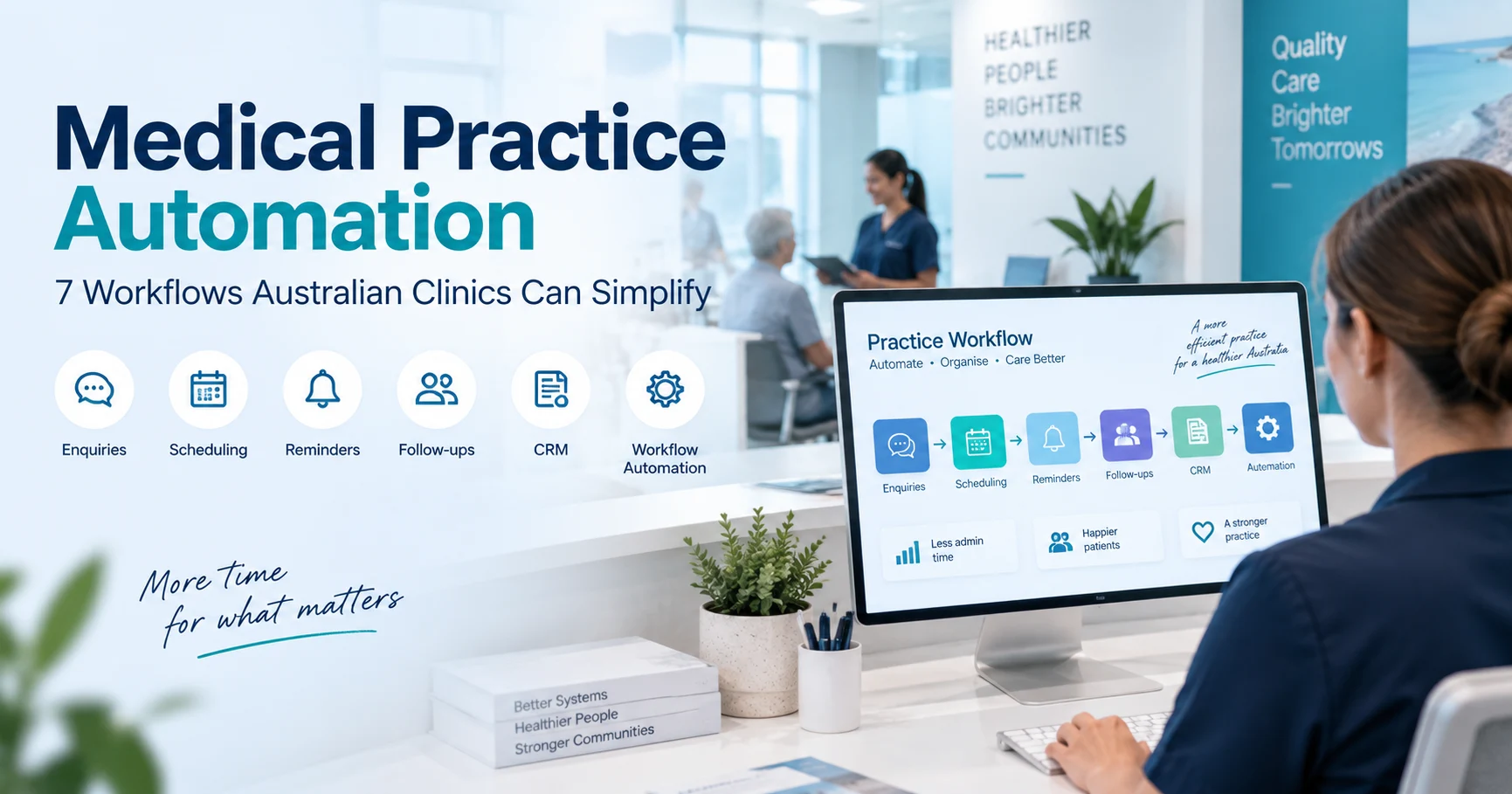
7 Medical Practice Automation Workflows Australian Clinics Can Simplify
Not every task should be automated. The most suitable opportunities are generally repetitive, clearly defined administrative processes that do not require independent clinical judgement.
Here are seven workflows worth considering.
1. Website Enquiry Capture and Management
A medical practice website is often the first point of contact between prospective patients and the clinic.
Visitors may want information about available services, opening hours, appointment processes or general administrative matters.
When enquiries are handled entirely through email, reception staff may need to review, categorise and forward each message manually.
During busy periods, this can create unnecessary delays.
How automation can help
A structured enquiry workflow can:
- Receive general enquiries through an online form.
- Securely record the submitted information.
- Send an acknowledgement to the visitor.
- Notify an appropriate staff member.
- Create a follow-up task when action is required.
- Track whether the enquiry has been handled.
For example, when a visitor requests general information about a service, the system can notify the reception team and organise the enquiry for review.
This helps staff identify outstanding administrative tasks more easily.
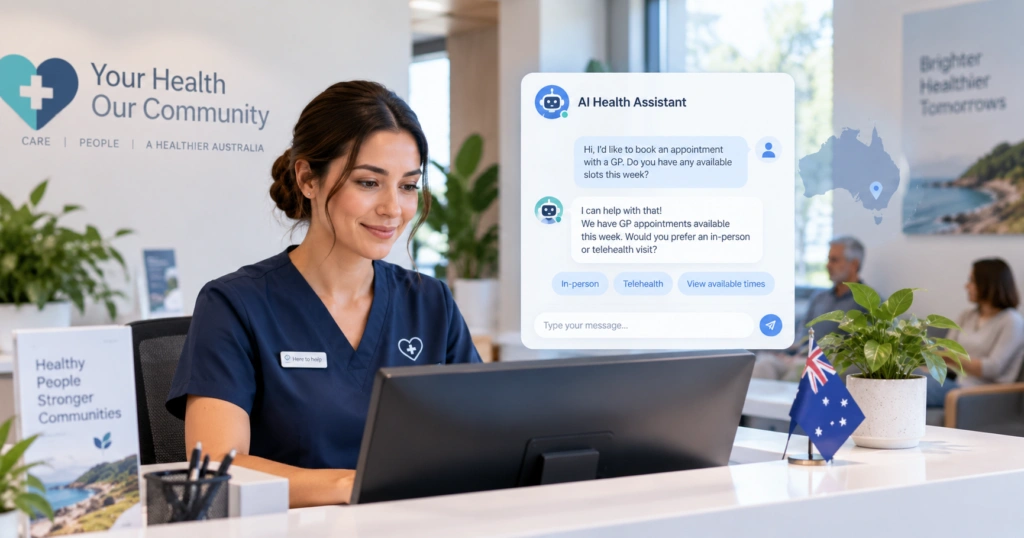
Medical practices can also consider an AI healthcare chatbot to help website visitors find approved practice information, understand available services and access appropriate enquiry pathways.
Chatbots should provide clear options for human assistance and must not be presented as substitutes for clinical advice or emergency services.
2. Appointment Reminders and Confirmations
Appointment management is an important part of everyday healthcare administration.
Reception teams frequently handle appointment confirmations, reminders and schedule changes.
When the practice’s booking software supports suitable integrations, some of these activities can be simplified through automation.
How automation can help
An appointment communication workflow may:
- Detect an appointment confirmed in the approved booking system.
- Check the patient’s communication preferences.
- Send an appropriately timed reminder.
- Provide approved confirmation or rescheduling instructions.
- Notify staff when additional action is needed.
For example, a clinic might configure an automated reminder before a scheduled appointment.
This could reduce repetitive reminder tasks and help patients manage their appointments.
However, reminder messages should contain only appropriate information, and the booking system must remain the authoritative source of appointment availability.
Automation should never independently confirm an appointment that has not been successfully booked.
3. Digital Pre-Appointment Forms
Many Australian healthcare practices collect administrative information before appointments.
This may include contact details, communication preferences and other information required for administrative preparation.
When these processes depend on paper forms or repeated manual data entry, staff can spend unnecessary time collecting and transferring information.
How automation can help
A secure digital workflow may allow patients to complete suitable administrative forms before attending the clinic.
Depending on the system, the workflow can:
- Provide access to an approved digital form.
- Check whether required fields are completed.
- Record information in an authorised system.
- Notify staff when administrative review is needed.
- Identify incomplete submissions.
This can simplify routine administrative preparation and improve information consistency.
However, healthcare practices must carefully consider privacy and security requirements, particularly when collecting health information.
Sensitive clinical records should not automatically be transferred into a general-purpose marketing CRM.
Practices should also provide alternatives for patients who cannot easily complete online forms.
4. Missed-Call Follow-Up and Callback Management
Medical reception teams frequently manage incoming telephone calls while helping patients at the front desk.
During busy periods, not every call can be answered immediately.
Without a structured follow-up system, missed calls may become difficult to track.
How automation can help
Where a compatible telephone platform is available, an administrative workflow may:
- Detect an unanswered call.
- Create an internal callback task.
- Notify the reception team.
- Assign the task to an appropriate staff member.
- Mark the task complete once reviewed.
- Highlight overdue callbacks.
For example, a receptionist could begin the next available shift with a clear list of calls requiring administrative follow-up.
This helps organise communication rather than relying entirely on memory or handwritten notes.
However, not every missed call represents a prospective patient enquiry, and automatic external messages must respect privacy and applicable communication requirements.
The purpose is to support reception teams, not to replace appropriate personal communication.
5. Administrative Follow-Up Workflows
Medical practices often receive enquiries that cannot be resolved immediately.
A person may request information about a service, need assistance with an administrative process or ask for a staff member to contact them.
If these requests are managed across different inboxes or informal notes, it can become difficult to track responsibility.
How automation can help
A structured workflow may:
- Record the administrative request.
- Assign it to an authorised team member.
- Create an internal follow-up reminder.
- Track the current status.
- Notify staff about overdue actions.
- Close the task when completed.
For example, when a website visitor requests general service information, the system can create a task for a receptionist to review during business hours.
This provides a clearer process for managing enquiries and reduces the possibility of administrative follow-up tasks being overlooked.
It is important to distinguish routine administrative communication from promotional marketing.
Australian healthcare practices should assess consent and relevant electronic messaging requirements before sending automated promotional messages.
6. CRM Integration and Enquiry Tracking
Many medical practices use several digital tools to support everyday operations.
These may include website enquiry forms, booking software, email systems, telephone platforms and administrative management applications.
When these systems operate independently, staff may need to transfer information manually.
A suitable CRM integration can help organise appropriate non-clinical enquiries and follow-up activities.
How automation can help
An integrated workflow may:
- Capture general enquiries from approved website forms.
- Create or update an appropriate CRM record.
- Assign an administrative task to a staff member.
- Record enquiry status changes.
- Notify authorised staff when action is required.
- Provide visibility into outstanding follow-up tasks.
For instance, when an enquiry arrives through the website, an integrated system can create a record for administrative review without staff manually entering the same details into multiple systems.
This can help improve workflow consistency.
VELORIQ HEALTH offers CRM solutions for medical practices that can support suitable enquiry management, team assignments and administrative follow-up processes.
A healthcare CRM should not automatically replace practice management software or electronic medical records. Integrations must be assessed for technical compatibility, privacy, security and appropriate access controls.
7. Workflow Monitoring and Error Notifications
Automation should not be treated as a system that can simply be configured and forgotten.
Digital workflows depend on software integrations, internet connections, permissions and external services.
Occasionally, an integration may fail, information may not transfer correctly or an automated task may encounter an unexpected problem.
Without monitoring, staff may not immediately realise that an administrative process has stopped working.
How automation can help
A monitored workflow can:
- Record successful and failed administrative actions.
- Notify authorised administrators about integration errors.
- Identify delayed or incomplete tasks.
- Detect duplicate submissions.
- Support controlled recovery procedures.
- Maintain appropriate operational logs.
For example, if a website enquiry cannot be transferred to the approved administrative system, an alert can notify the responsible team.
This makes it easier to investigate the issue before it affects additional workflows.
Reliable automation requires regular monitoring, appropriate error handling and clear human responsibilities.
How Medical Practice Automation Workflows Connect Together
The real value of automation often comes from connecting suitable administrative processes rather than implementing isolated tools.
Consider a hypothetical Australian medical clinic receiving a general website enquiry.
Step 1: A visitor submits a general enquiry through the clinic website.
Step 2: The website securely records the relevant information and acknowledges the submission.
Step 3: An approved integration creates an administrative task for the reception team.
Step 4: An authorised staff member reviews the enquiry and responds appropriately.
Step 5: If an appointment is requested, the clinic’s actual booking system manages the booking process.
Step 6: Where supported and appropriate, the booking system can trigger an appointment reminder.
Step 7: Workflow monitoring checks whether the required administrative actions have completed successfully.
This example demonstrates how several systems can support one connected administrative process.
It is an illustrative scenario, not a claim about a particular VELORIQ HEALTH client or a guaranteed operational outcome.
Each practice should configure automation according to its existing software, patient communication policies and professional responsibilities.
Benefits of Medical Practice Automation for Australian Clinics
Well-designed medical practice automation workflows can help Australian clinics manage repetitive administrative tasks more consistently. From enquiry handling to staff notifications, the right processes can support everyday operations without replacing human oversight.
Well-designed automation can offer several practical advantages.
Reduced Repetitive Administration
Automating suitable recurring tasks can reduce the need for staff to repeatedly enter information, forward messages and create reminders manually.
More Consistent Enquiry Management
Structured workflows can help clinics organise incoming enquiries and make outstanding administrative actions easier to identify.
Improved Team Coordination
When authorised staff can see assigned tasks and their statuses, administrative responsibilities become clearer.
Better Operational Visibility
Connected systems and workflow reporting can help practice managers understand how administrative processes are functioning.
More Time for Human Interaction
Reducing unnecessary repetitive tasks can give reception teams more capacity to focus on patients and situations requiring personal attention.
These benefits depend on proper implementation. Automation does not automatically produce efficiency improvements if the underlying process is poorly designed.
What Should Medical Practices Avoid Automating?
Although automation offers useful opportunities, healthcare organisations must recognise its limitations.
Administrative automation should not independently replace qualified healthcare professionals in matters requiring clinical judgement.
Medical practices should exercise particular care with:
- Clinical diagnosis: Administrative systems should not independently diagnose medical conditions.
- Treatment decisions: Clinical recommendations and treatment choices require appropriate professional oversight.
- Medical emergencies: General website chatbots and enquiry forms should not be presented as emergency response services.
- Sensitive patient data: Health information should only be processed through appropriately assessed and authorised systems.
- Marketing communication: Promotional messages must comply with applicable consent and electronic messaging requirements.
- Unsupported integrations: Connections between systems should be tested for security, reliability and accuracy.
The objective is to use automation where it supports healthcare operations safely and appropriately.
Australian Healthcare Privacy and Security Considerations
Privacy and security are essential when introducing digital systems into healthcare environments.
Australian healthcare organisations may be subject to the Privacy Act 1988, the Australian Privacy Principles and other relevant healthcare privacy obligations.
Before implementing medical practice automation, clinics should consider several important areas.
1. Data Collection
Collect only the information reasonably necessary for the intended process.
Visitors should understand what information is being collected and how it will be used.
2. Access Permissions
Administrative staff should only have access to information required for their responsibilities.
Sensitive clinical information should be protected by appropriate access controls.
3. Secure Integrations
Before connecting different software systems, review their security features, data handling arrangements and integration capabilities.
4. Communication Preferences and Consent
Routine administrative communication and promotional marketing messages should be treated appropriately under relevant Australian requirements.
5. Human Oversight
Processes involving potential clinical urgency, sensitive information or professional judgement should provide suitable human review and escalation options.
For further guidance, healthcare organisations can review the Office of the Australian Information Commissioner’s Guide to Health Privacy and the Australian Communications and Media Authority’s information on avoiding spam.
Practices should obtain appropriate professional advice where their specific legal, clinical or technical obligations require it.
How to Start Automating Your Medical Practice
Introducing automation does not necessarily require replacing your existing website or administrative software.
For many Australian clinics, a smaller, carefully selected workflow is a practical starting point.
Step 1: Identify Repetitive Tasks
Speak with reception staff and practice managers to understand which administrative activities consume the most time.
Look for recurring tasks, unnecessary manual data entry, and communication processes that could benefit from greater consistency.
Step 2: Map Your Existing Processes
Document how each workflow currently operates.
Identify which staff members, applications, and communication channels are involved.
Step 3: Review Your Current Software
Determine whether your website, booking platform, CRM, or other administrative systems support suitable integrations.
If your existing website has confusing enquiry forms or unclear navigation, improving those areas may be necessary before introducing automation.
VELORIQ HEALTH’s healthcare website design services can help medical practices develop clearer website experiences and suitable enquiry pathways.
Step 4: Start With One Workflow
Choose one well-defined administrative process and test it carefully.
Review normal submissions, incorrect information, duplicate events, and situations requiring staff intervention.
Step 5: Train Your Team
Explain how the new workflow operates, what staff remain responsible for, and how to respond if something goes wrong.
Step 6: Monitor and Improve
Review workflow activity regularly.
Evaluate whether the process is genuinely reducing unnecessary work and making administration easier to manage.
How Can Clinics Measure Automation Success?
Introducing automation should be followed by practical performance measurement.
Useful indicators may include:
- Enquiry response time: How quickly are appropriate administrative enquiries acknowledged and reviewed?
- Administrative handling time: How much staff time is required for repetitive tasks?
- Outstanding follow-ups: How many assigned tasks remain incomplete?
- Manual data entry: How often must information be copied between systems?
- Workflow reliability: How frequently do integrations complete successfully?
- Staff feedback: Are administrative processes easier to manage?
Where possible, establish a baseline before implementation and compare results after the automation has been operating reliably.
The goal should be measurable operational improvement rather than automation for its own sake.
Is Medical Practice Automation Suitable for Small Clinics?
Yes, medical practice automation may be useful for both small and larger healthcare organisations.
A small clinic might begin with one administrative workflow, such as website enquiry notifications or internal follow-up reminders.
A larger medical practice may require connections between several systems, multiple departments or different clinic locations.
The appropriate approach depends on the practice’s actual needs, software environment and administrative processes.
A simple, reliable workflow can often be more useful than a complicated system that introduces additional maintenance requirements.
Frequently Asked Questions About Medical Practice Automation
Does medical practice automation replace reception staff?
No. Medical practice automation is intended to support administrative teams by simplifying suitable repetitive tasks. Reception staff remain important for personal communication, decision-making, exceptions, and situations requiring human assistance.
Can medical practice automation work with existing software?
In many cases, yes. Some booking systems, CRM platforms and communication tools provide approved integration options. Compatibility, data security and available permissions should be reviewed before introducing new workflows.
How much does medical practice automation cost in Australia?
Costs vary depending on workflow complexity, software subscriptions, integrations, configuration, and ongoing support. A simple administrative process may require a different level of investment from a multi-system automation project. A requirements assessment can help determine an appropriate scope.
Can automation support multiple medical practice locations?
Yes. Suitable administrative workflows can support multi-location practices where systems and permissions allow. Processes should reflect each location’s staff responsibilities, booking arrangements and communication requirements.
Final Thoughts: Smarter Administration Starts With Better Workflows
Medical practice automation offers Australian healthcare organisations practical opportunities to simplify repetitive administrative work, organise enquiries and improve internal communication.
However, successful automation is not about introducing the largest number of tools.
It is about identifying real operational challenges and implementing reliable solutions that help staff work more efficiently.
Whether your clinic wants to improve enquiry handling, appointment-related administration, CRM processes or follow-up workflows, the best starting point is understanding how your current processes operate.
From there, suitable automation can be introduced gradually, tested carefully and improved over time.
Explore Medical Practice Automation With VELORIQ HEALTH
At VELORIQ HEALTH, we help Australian medical practices explore connected digital solutions that support their administrative operations and wider digital strategy.
Our approach focuses on understanding existing systems, identifying practical opportunities and developing solutions aligned with each practice’s requirements.
If your healthcare organisation is considering automation, explore our Medical Practice Automation Services to understand how suitable workflows can support your team.
You can also request a Free Clinic Growth Plan to discuss your practice’s digital priorities and opportunities for improvement.
Simplify repetitive administration, build more organised workflows and give your team more time to focus on what matters.